What is Link of Time and How It Works
Published on March 20, 2026 in Getting Started
Introduction
Planning an event can feel overwhelming, but with Link of Time, creating and sharing invitations is effortless. This guide will walk you through what Link of Time is, how it works, and how you can use it to plan weddings, birthdays, corporate events, and more. By the end, you'll be ready to create your own stunning invitation website in minutes.
What is Link of Time?
Link of Time is a user-friendly platform that allows you to create free invitation websites for any type of event. From birthdays and weddings to corporate gatherings, Link of Time centralizes event planning in one convenient online space. Key features include:
- RSVP Management: Track guest responses, meal preferences, and plus-one information.
- Guestbook & Memories: Collect messages, photos, and special moments from your attendees.
- Event Schedule & Seating Arrangements: Share detailed itineraries and assign seating with ease.
- Gift Registry Integration: Keep your guests informed about gift preferences.
Whether you choose a premade template or upgrade for a fully customized event page, Link of Time simplifies every step.
How Link of Time Works
Here’s a step-by-step breakdown of creating your event on Link of Time.
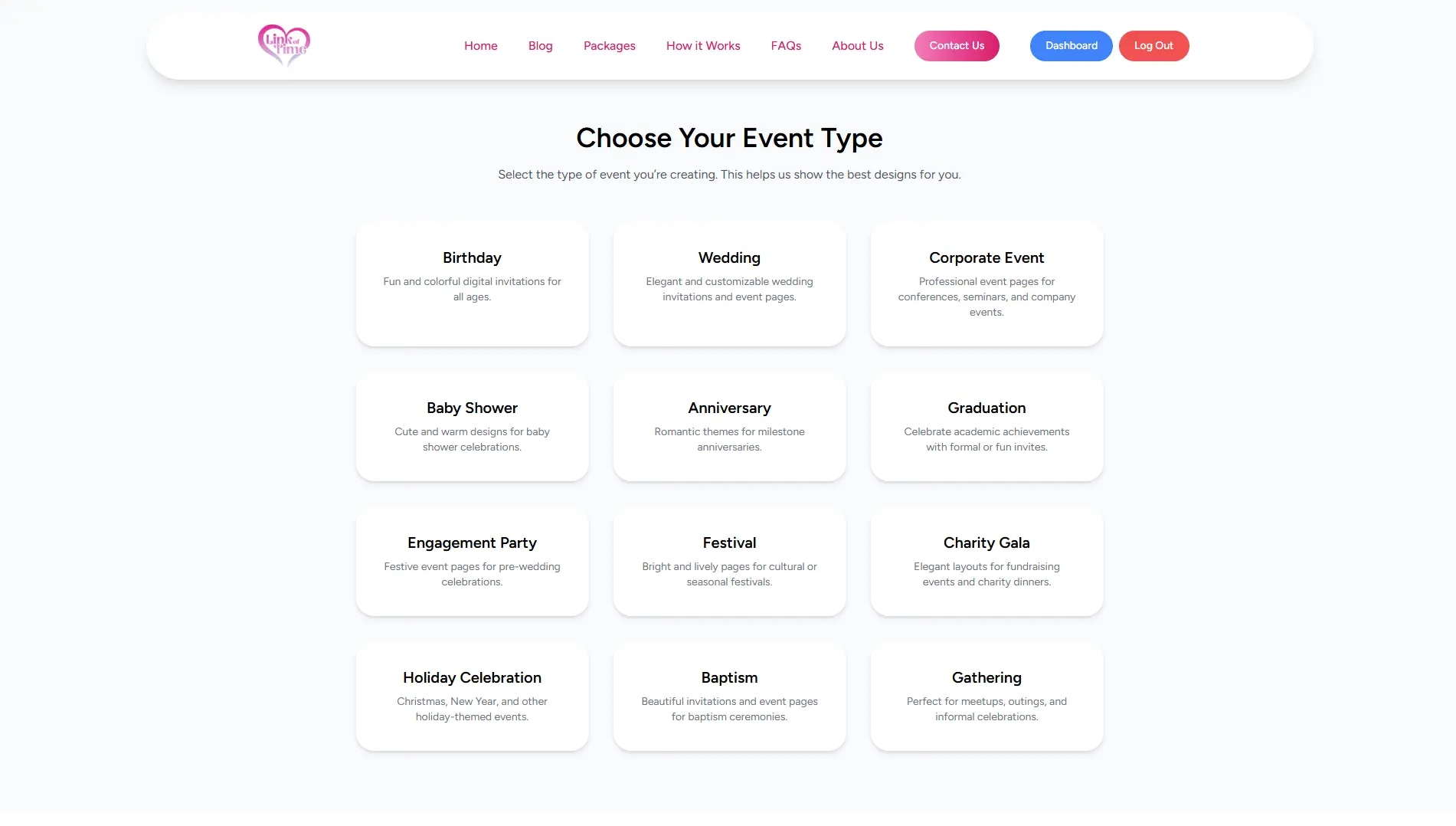
1. Choose Your Event Category
Start by selecting the type of event you’re celebrating. Options include:
- Weddings
- Birthdays
- Debuts
- Baptisms
- Corporate Events
Tip: Selecting the correct category ensures the platform suggests templates and features tailored to your event.
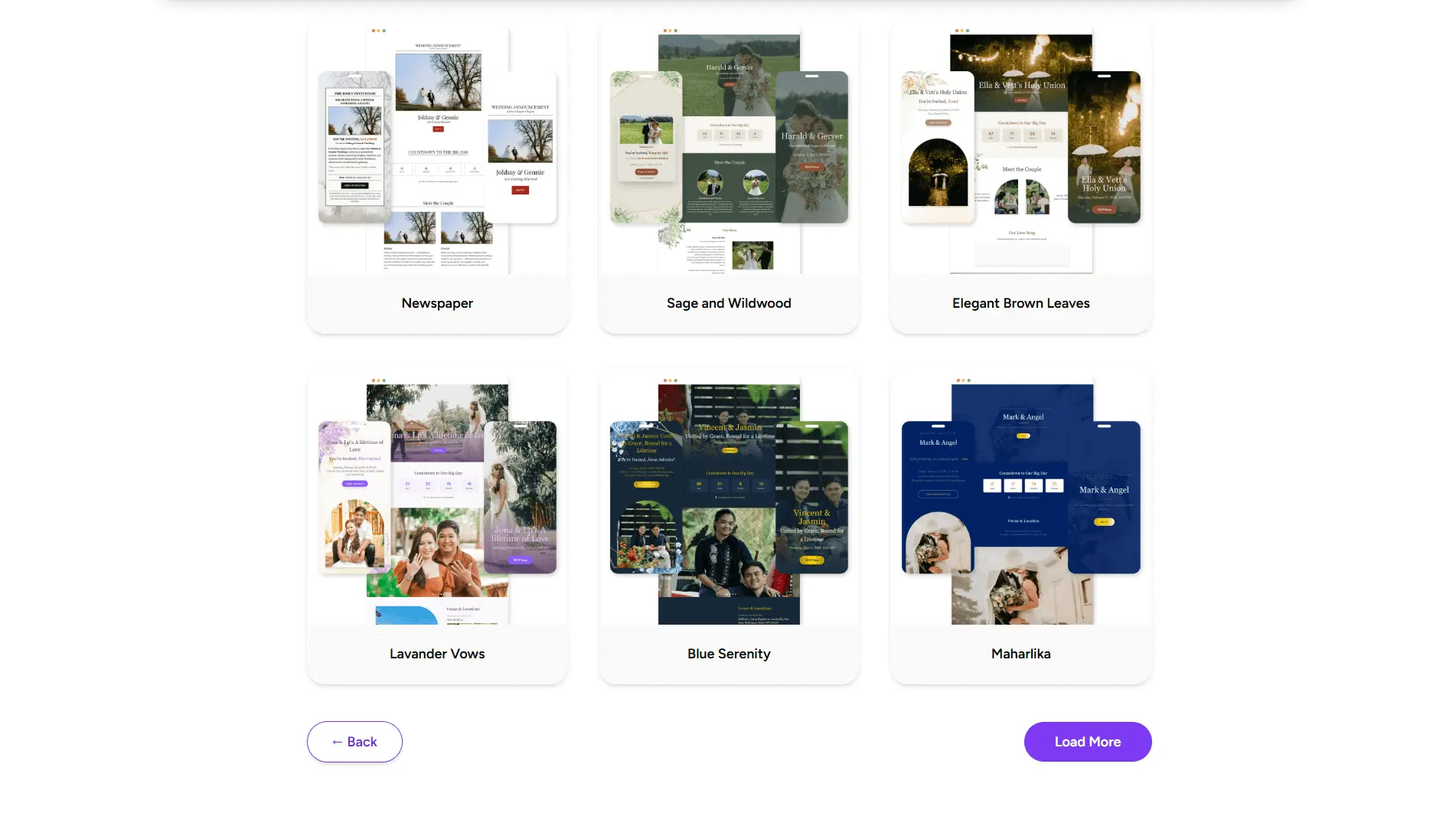
2. Select a Template
Next, browse our library of premade invitation templates. Each design is optimized for both desktop and mobile viewing.
- Premade Templates: Quickly create your invitation with professional layouts.
- Custom Templates (Upgrade Required): Unlock fully personalized designs with your preferred colors, logos, videos, and even Spotify playlists.
Pro Tip: Consider your event theme—formal, casual, or playful—when choosing a template to set the right tone for your guests.
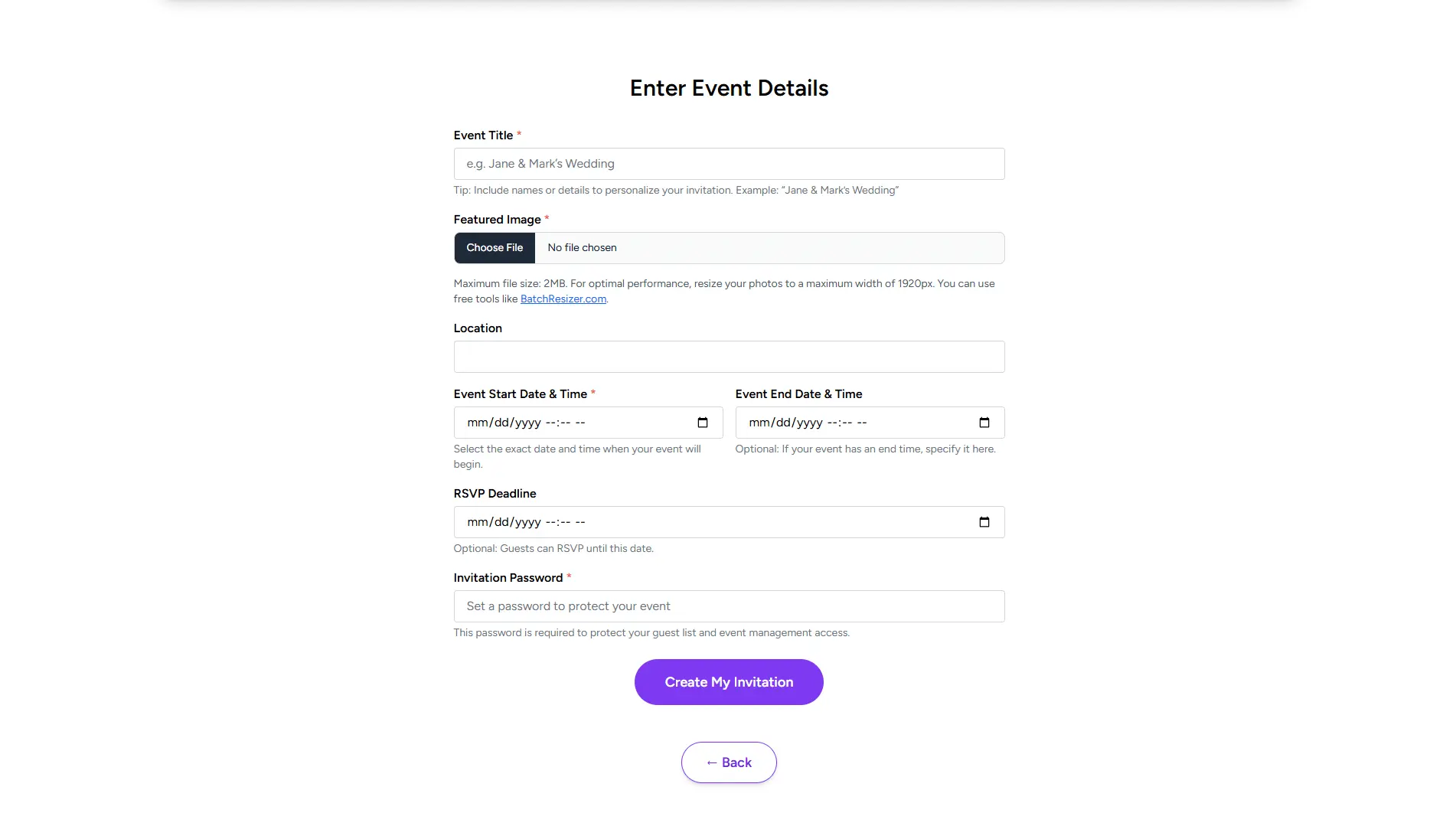
3. Enter Your Event Details
Once your template is ready, fill in your event specifics:
- Event Name
- Date & Time
- Location (link to Google Maps if desired)
- Personal Message
You can instantly share your invitation via a unique URL or through social media platforms and messaging apps.
Best Practice: Double-check the details before sharing. A simple typo in the date or location can lead to confusion.
4. Enhance Your Invitation (Optional)
Upgrading your package allows for advanced customization and additional features:
- Multiple photo galleries or carousel slides
- Enhanced guestbook with photos and messages
- RSVP notes, meal preferences, and plus-one management
- Gift registry and post-event highlights
Example Scenario: A wedding couple upgrades their event page to include a Spotify playlist and a carousel of pre-wedding photos. Guests RSVP directly on the site and can leave messages in the guestbook, all in one place.
5. Manage Your Guests
With RSVP management tools, you can track attendance, meal selections, and guest notes in real-time.
- Export guest lists for catering or seating planning
- Send reminders to non-respondents
- Monitor RSVP statuses from your dashboard
Tip: Use the Guest Management Features (see our article on RSVP & Guest Management) to keep your event organized and stress-free.
Tips & Warnings
- Always preview your invitation before sharing to ensure all details display correctly.
- Keep your guest list updated to avoid last-minute confusion.
- Use clear messages in your invitations; concise instructions improve RSVPs and engagement.
- Consider mobile users: Most guests access invitations on smartphones, so select responsive templates.
FAQs
Conclusion
Link of Time makes event planning simple, interactive, and stress-free. By following these steps—choosing a category, selecting a template, entering your details, and managing RSVPs—you can create a polished invitation website in minutes. Upgrade for additional customization and advanced features to make your event truly unforgettable.
Start creating your first invitation today and experience how effortless planning can be with Link of Time!
